EMAIL MARKETING · A PRACTICAL BEGINNER’S GUIDE
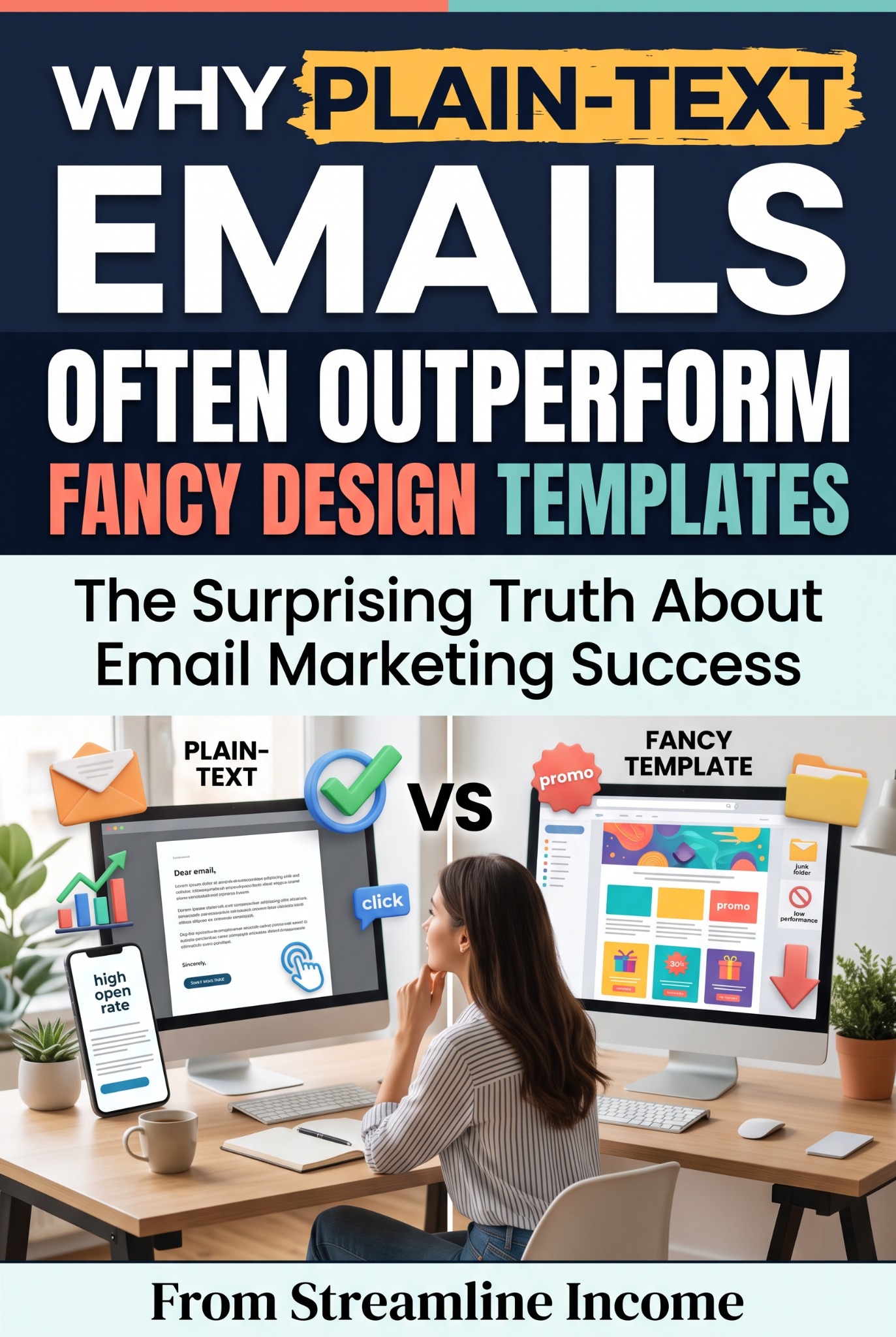
Why Plain-Text Emails Often Outperform Fancy Design Templates
You sit down to write a helpful newsletter. An hour later, you are still choosing a banner, adjusting colours and wondering whether the button should have rounded corners. The email itself is barely started.
For a small online business, a simpler approach can be more useful. A clear, text-led email can make the point quickly, feel conversational and give the reader an obvious next step. It can also take less time to produce.
However, plain text is not a proven universal winner. The title describes a possibility worth testing, not a rule that applies to every list. The audience, offer, writing and purpose all matter. A thoughtfully designed product email may perform better when readers need to see what they are buying.
Here is how to decide when to simplify your emails, what to keep and how to compare results fairly.
First, what do we mean by “plain text”?
People often use the term for two different formats. True plain-text email contains text and written-out URLs, without images, buttons or rich formatting. Your email app may automatically make those URLs clickable.
A plain-text-style email is usually simple HTML: a white background, readable paragraphs and perhaps a bold heading, descriptive link or small logo. It looks like a straightforward letter but still uses formatting.
Mailchimp’s plain-text email guide explains the distinction and notes that its HTML campaigns also have a plain-text version. Check what your own provider sends rather than assuming that an undecorated template is technically plain text.
| Format | What the reader sees | Useful for |
|---|---|---|
| True plain text | Text, spacing and written-out URLs. | A minimal message where formatting is unnecessary. |
| Simple HTML | Readable text with restrained headings and links. | Tips, stories, updates and a clear next step. |
| Designed HTML | Images, structured sections, branding and buttons. | Visual products, demonstrations and organised roundups. |
For many beginner newsletters, simple HTML is a practical place to start. It preserves useful structure without requiring you to design a miniature website every time.
1. A simple email can make the main point easier to find
Readers should not have to work out which of six panels matters most. If your email has one job—help someone avoid a common mistake, explain a useful idea or introduce a relevant guide—a text-led layout can keep attention on that job.
Start with the reader’s problem, explain the useful point and offer a next step. Decoration becomes optional rather than something you must fill with content.
For example, an email about selling a first download could explain why the seller should test the purchase process. Then it could link to The Simple Guide to Delivering Digital Products Automatically. That is a complete, useful reason to send an email.
The same principle applies to a website. Our guide to content depth versus posting frequency looks at giving each piece a clear purpose instead of publishing merely to fill a schedule.
2. It can support a more conversational voice
A simple layout leaves space for direct language: “Here is something worth checking before you launch.” It can suit a business whose readers signed up for practical advice from a recognisable person or small team.
That does not mean pretending a bulk newsletter is a private, individually written message. Use an honest sender name and subject line. Do not add “Re:” to imply an earlier conversation that never happened.
Write as though you are explaining something to one interested reader. Use familiar words, short paragraphs and a specific example. Ask a question only if you are prepared to receive and consider replies.
A flashy template cannot manufacture trust, and a plain email does not automatically deserve it. Useful content, accurate claims and consistent behaviour do the heavier work. See our guide to recommending products ethically for applying that principle to offers.
3. The message can remain useful when images are unavailable
Some readers block remote images or encounter slow connections. If your headline, price and explanation exist only inside one large graphic, the message may lose its meaning when that graphic does not display.
Keep essential information as real text. When an image adds something useful, provide appropriate alternative text and make sure the surrounding words explain the important point too.
Mailchimp’s accessibility guidance recommends meaningful link text and suitable image descriptions. Simple HTML can also provide helpful headings and structure. True plain text is not automatically more accessible in every situation.
Preview the email on a phone, enlarge the text and check it with images disabled. Can the reader still understand the offer and find the next step? That practical check matters more than whether the layout looks impressive in the editor.
4. You can spend less time formatting and more time helping
If newsletter production competes with your day job, client work or family commitments, simplicity can make the routine easier to maintain. One reusable format means fewer design decisions each week.
This is an operational benefit, even before you measure clicks or sales. An email that takes less time to prepare may be a better fit for your business when results are otherwise similar.
Our guide to building a weekly content routine can help you organise the work. Pair it with How Often Should You Send a Newsletter Without Annoying Your List? to choose a schedule you can sustain.
Keep copies of successful drafts and editable product files. The Seagate Portable 2TB external hard drive featured in Recommended Products is one possible place for a separate backup. It is optional equipment, not an email-performance tool; use a wider backup routine and check compatibility before buying.
Read our guide to external drives and long-term file storage before relying on any single device to protect your work.
What simple emails do not guarantee
Removing images does not guarantee inbox placement, higher open rates or more sales. A plain email can still be unwanted, misleading or irrelevant.
Google’s email sender guidance covers matters such as authentication, accurate sender information and unwanted mail. Follow your provider’s setup instructions and make it easy for people to leave. Changing the template is not a substitute for responsible sending.
Also, the Promotions tab is not the same as the spam folder. A commercial message appearing among other promotions is not evidence that your design failed.
Be especially careful with claims about opens. Readers usually decide whether to open before seeing the full email design. Tracking differences can further distort the comparison: true plain text cannot load the invisible image commonly used to measure opens.
When a designed template is the better choice
Sometimes showing is more useful than describing. A preview of a printable planner, a screenshot explaining a tool or a photograph of a physical product can help readers make a decision.
A roundup with several genuinely different sections may also benefit from clear headings and visual separation. The aim is to choose elements that improve understanding rather than remove every visual detail.
You can combine approaches: a brief text-led introduction, one relevant image and one obvious link. Keep important information in text and test the layout on different screen sizes.
If you are presenting a paid product, the offer still needs a clear explanation. Our guide to writing a sales page without aggressive hype helps with the page readers reach after clicking.
A simple structure for your next newsletter
Try this outline before opening the design controls:
- Subject: describe the useful idea accurately.
- Opening: name a situation the reader recognises.
- Main point: explain one action or lesson.
- Next step: link to one relevant guide, resource or offer.
- Closing: use a genuine sign-off and keep the normal subscription footer.
A sample opening might be: “Before you sell your first checklist, download it on your phone. You may notice tiny text, an awkward page break or instructions that only make sense on a laptop.”
That gives the reader something useful immediately. A link to a fuller guide then extends the help rather than withholding all the value behind a click.
Test the design fairly
If your email platform supports content testing, compare a simpler version with your usual design using randomly assigned groups. Keep the subject, sender, offer, main wording and sending time as similar as possible.
Mailchimp’s A/B testing guidance describes testing a selected variable and randomly assigning versions. Changing the layout, offer and subject together will not show which change mattered.
Choose your main measure in advance. For an article email, that might be unique clicks per delivered email, using available bot filtering. For a product email, it may be completed purchases. Consider replies, complaints, unsubscribes and preparation time alongside it.
Do not treat a handful of clicks as a definitive result. Small lists produce noisy comparisons, and one successful send does not establish a permanent winner. Our guide to tracking clicks and understanding reader interest explains why behaviour needs context.
Make clarity your starting point
You do not need an elaborate template to send a worthwhile newsletter. Start with a useful message, readable paragraphs and a clear next step. Add design where it improves understanding, and judge the result using your own readers’ behaviour.
For a small business, a simple approach can save time and support a consistent voice. Let the evidence tell you whether it also improves results.
Frequently asked questions
Should I remove my logo?
Not necessarily. A small logo may help recognition. Keep it proportionate and make sure the message still works without it.
Can plain-text emails contain links?
Yes, as written-out URLs that email apps may make clickable. Styled link text and buttons belong to HTML emails. Mailchimp supports click tracking for plain-text campaigns through rewritten URLs.
Will plain text avoid the spam folder?
No. Format alone does not determine delivery. Permission, sending practices, authentication and recipient reactions still matter.
Are open rates a fair way to compare formats?
Usually not for this purpose. True plain text lacks an image-based open tracker, and privacy features can distort HTML open reports. Focus on suitable downstream actions instead.
What should a beginner use?
A readable, single-column HTML email with restrained formatting is a practical starting option. Test it, include the plain-text alternative where supported and adjust as you learn.
Build a simpler online business
Explore our free starter guide, or read our system review before deciding whether the featured offer suits you. No template or course guarantees earnings.
Read the free Side Hustle Starter Guide · Read our system review
Ad · Explore the featured online-income offerPlan your first subscriber emails
Use our five-email welcome sequence and adaptable examples to introduce your work and give new readers a helpful next step.